Remove Background Free and Fast
The easiest online background remover. Upload your image or choose a reference photo, and AI will automatically detect the subject and return a clean transparent PNG.
Click to upload or drag and drop
Support JPG, PNG, WEBP, GIF up to 20MB
No image ready? Try one of these sample photos to remove the background instantly.
Output format: transparent PNG (best for cutouts and compositing).
Processing typically completes within a few seconds.
Your transparent cutout will appear here
Your AI-edited image will be displayed here
How to Remove Background from an Image
Upload Your Image
Drag and drop your photo or choose one of the reference examples.
AI Removes Background
AI automatically detects the subject and removes the background with pixel-level precision.
Download Your Result
Preview the transparent cutout and download your PNG instantly.
Background Removal Examples
See how our AI background remover handles people, products, pets, flowers, cars, and graphics.
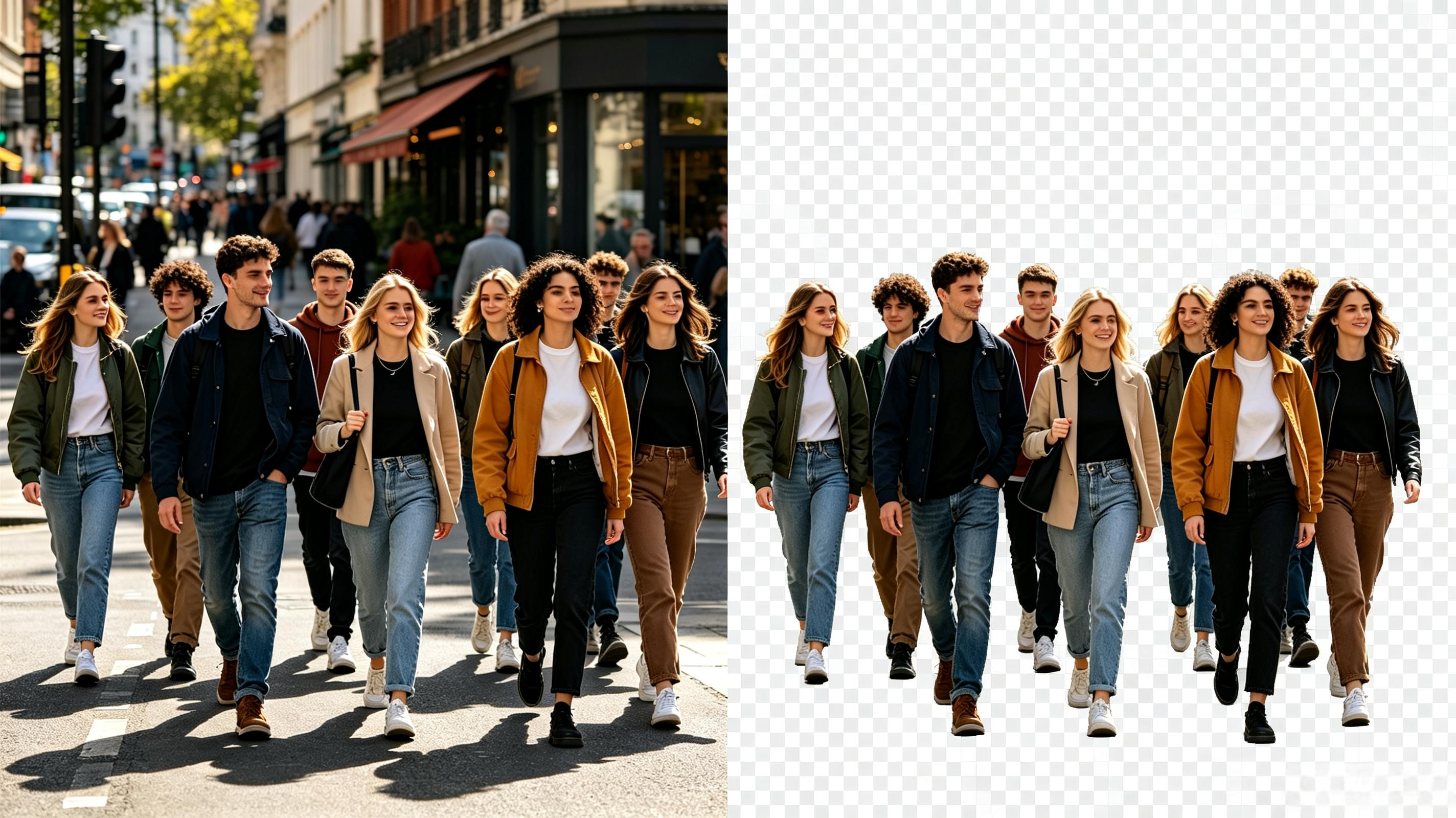
People
Precise hair and edge detection for portraits and headshots.

Products
Create clean product cutouts ready for marketplace listings.
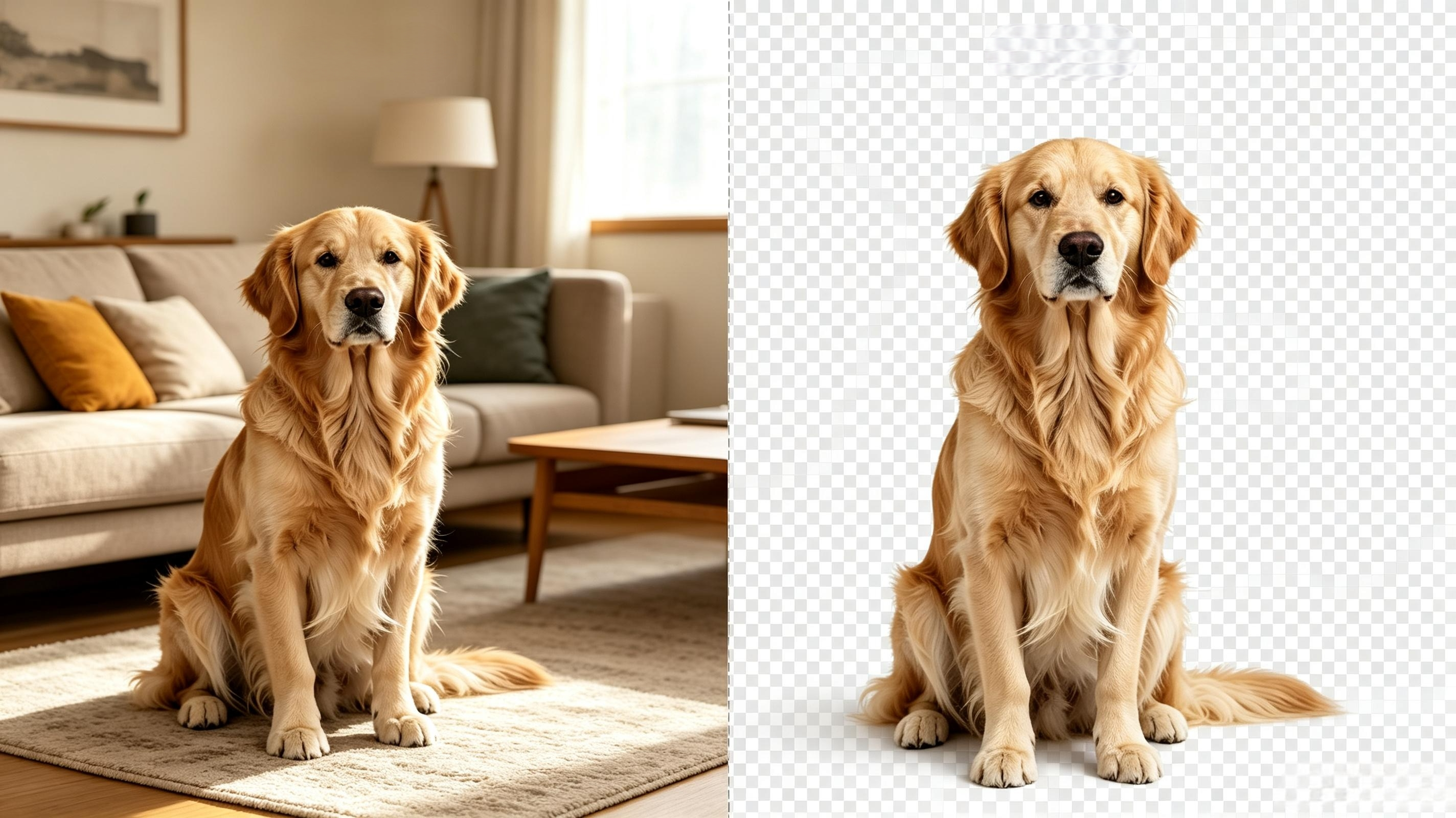
Pet
Clean cutouts for pets with fine fur and complex edges.
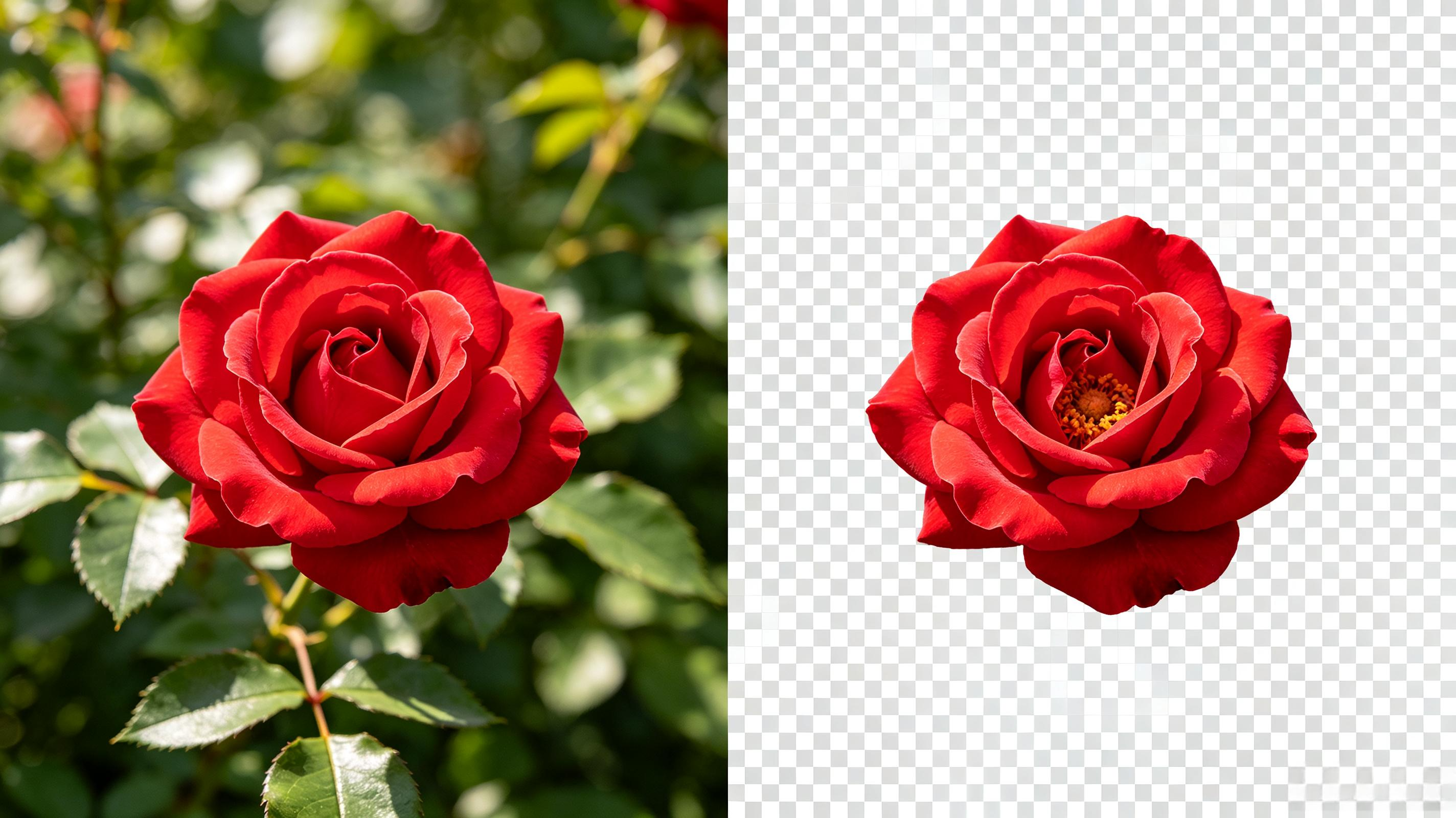
Flower
Preserve delicate petals and stems with natural transparent edges.
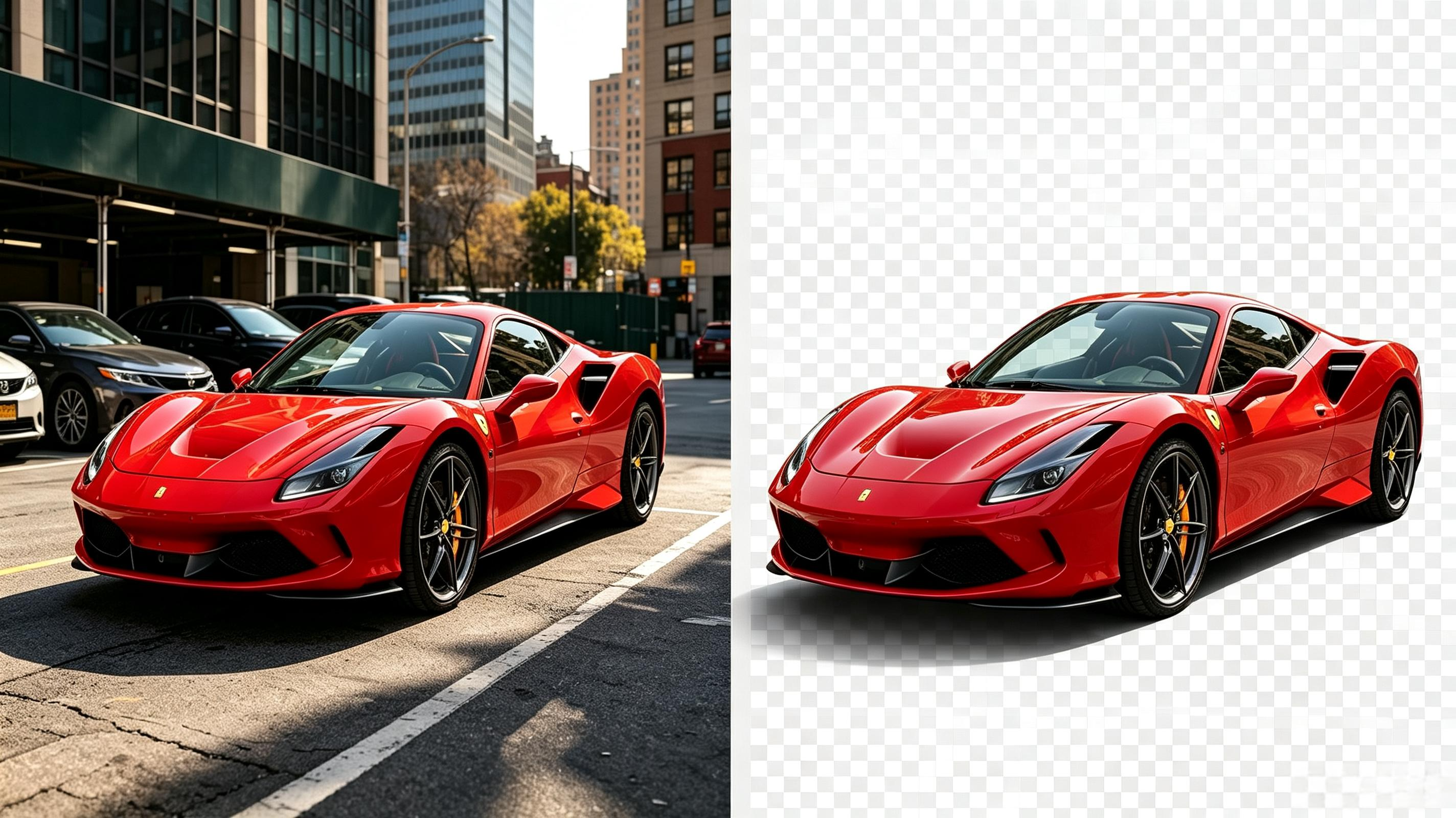
Cars
Sharp vehicle cutouts for listings, ads, and automotive visuals.

Graphics
Remove backgrounds from logos, illustrations, and design assets.
Free Background Remover Handles Any Image
Powered by cjwbw/rembg on Replicate, integrated through the same API workflow as other image features.
AI identifies the main subject and separates it from the background automatically.
Get a clean cutout with transparent background, ready for design and compositing.
Handles tricky edges like hair, fur, and fine product details with strong accuracy.
Most images complete in about 2 seconds, ideal for quick edits and workflows.
Professional background removal without manual masking or desktop software.
Upload, process, and download using the same credits and history system.
Background Remover for Every Use Case
From e-commerce to social media, remove backgrounds for any type of image.
Product Photos
Create transparent backgrounds for marketplace listings and professional product shots.
Portrait Photos
Precise hair cutouts for profile pictures, headshots, and social media avatars.
Car Photos
Remove backgrounds from vehicle photos for listings and showroom composites.
Pet Photos
Preserve fine fur and feather details for pet photography and custom backgrounds.
Logo & Graphics
Make logo backgrounds transparent for branding and professional design work.
Signature Images
Digitize signatures and remove paper textures for clean electronic documents.
FAQs about Background Removal
What image formats are supported?
You can upload PNG, JPG, JPEG, WEBP, and GIF images. Results are exported as transparent PNG files.
How does the AI remove backgrounds?
The model uses Rembg to automatically identify the main subject and separate it from the background with natural edge transparency.
How long does processing take?
Most images complete within about 2 seconds. Complex images with fine details may take slightly longer.
Can I use this on mobile and desktop?
Yes. The tool works in any modern web browser on desktop and mobile devices.
What types of images work best?
Photos with clear subject separation and good lighting produce the cleanest results. The model works well with products, portraits, animals, and objects.
Easily Remove Image Background
Upload your photo and get a transparent cutout in seconds. No install needed.
Upload Image